

Keep personal pictures outside your daily scroll.
Choose the photos and videos you want in your vault. Browse that collection in SafeCloud, separately from the pictures you show, share and scroll through every day.
Keep selected photos, videos and saved conversations together in a separate app.
Made by Shesek LLC. Available for iPhone and iPad.
A collection of your own
Your photo library and chat list are where everyday life happens. SafeCloud gives the things you choose to keep privately a home of their own.
Choose the photos and videos you want in your vault. Browse that collection in SafeCloud, separately from the pictures you show, share and scroll through every day.
Import a WhatsApp or LINE conversation you want to revisit, including supported media. Keep that archive alongside your photos and videos, even when it no longer belongs in your everyday chat list.
Find the right fit
The iPhone’s Hidden album already keeps selected photos and videos out of your main library. SafeCloud is useful when you want a separate app for your collection, including imported conversations.
| What matters to you | Hidden album in Photos | SafeCloud |
|---|---|---|
| Where you keep it | Inside the Photos app | In a separate vault app |
| What you can keep | Photos and videos | Photos, videos and imported conversations |
| How you open it | Face ID, Touch ID or your iPhone passcode | Passcode, Face ID or Touch ID |
| Cloud storage | iCloud Photos, if you use it | Optional SafeCloud sync |
On iOS 16 and later, the Hidden album is locked by default. If that meets your needs, you can use it without adding another app.
Read our guide to hiding and locking photos on iPhone →Make it your collection
Start with a photo, a video or a conversation. You decide which items belong in SafeCloud.
Add your media or import a supported chat. For WhatsApp and LINE, follow the import instructions inside the app.
Look through the imported conversation, open the photos and play the videos. Check that what you wanted to keep is there.
Importing saves a copy. The original stays in Photos or your chat app until you remove it. Check what happens to your originals before deleting anything.
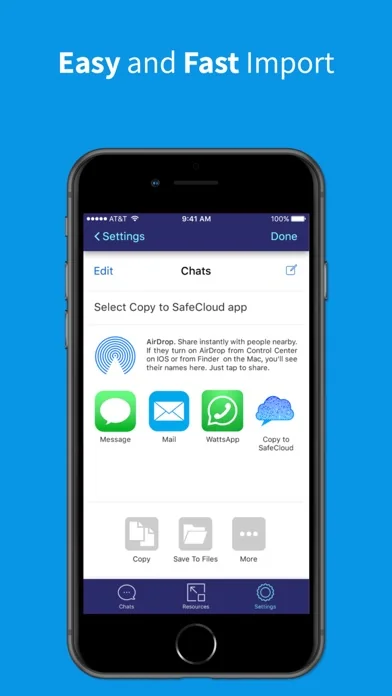
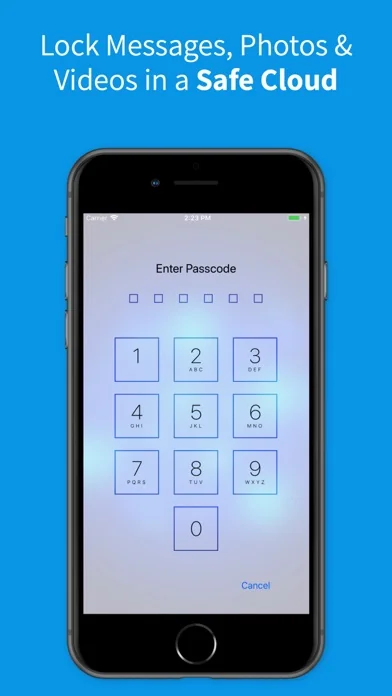
From SafeCloud’s App Store screenshots.
Use a passcode, Face ID or Touch ID to open your saved content. SafeCloud does not lock Photos, WhatsApp or other apps themselves.
Cloud sync and login are optional. A cloud archiving subscription is available if you want to use that service.
No. Importing saves a copy in SafeCloud. Open that copy and check your backup before removing the original. With iCloud Photos, deletion also affects your other synced devices. Deleted photos stay in Recently Deleted for 30 days unless permanently removed sooner.
Yes. SafeCloud supports importing conversations from WhatsApp and LINE. Follow the import instructions inside the app. It keeps an archive of the imported content; it does not lock the original messaging app.
No. Cloud synchronization and login are optional.
Use a passcode, Face ID or Touch ID, depending on your device. These unlock the content stored inside SafeCloud.
SafeCloud is free to download and offers in-app purchases, including a cloud archiving subscription. The app shows the available options before you purchase.
Start your collection with SafeCloud.